
Start a discovery
Paste whatever you have about a new enquiry, such as emails, call notes or a transcript. Discovery turns it into a brief you can quote from.
How to
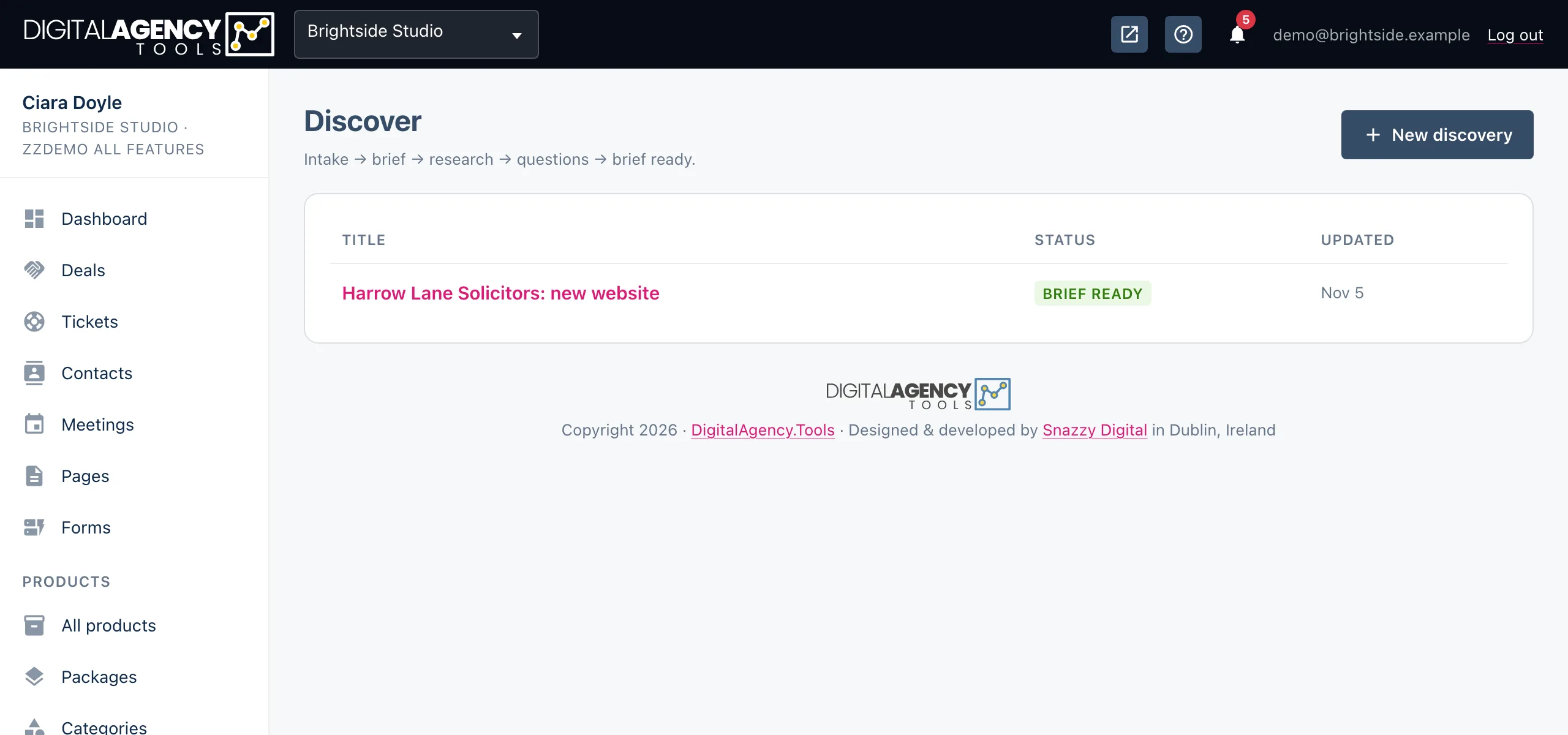
- In the sidebar, under Projects, open Discover.
- Click New discovery.
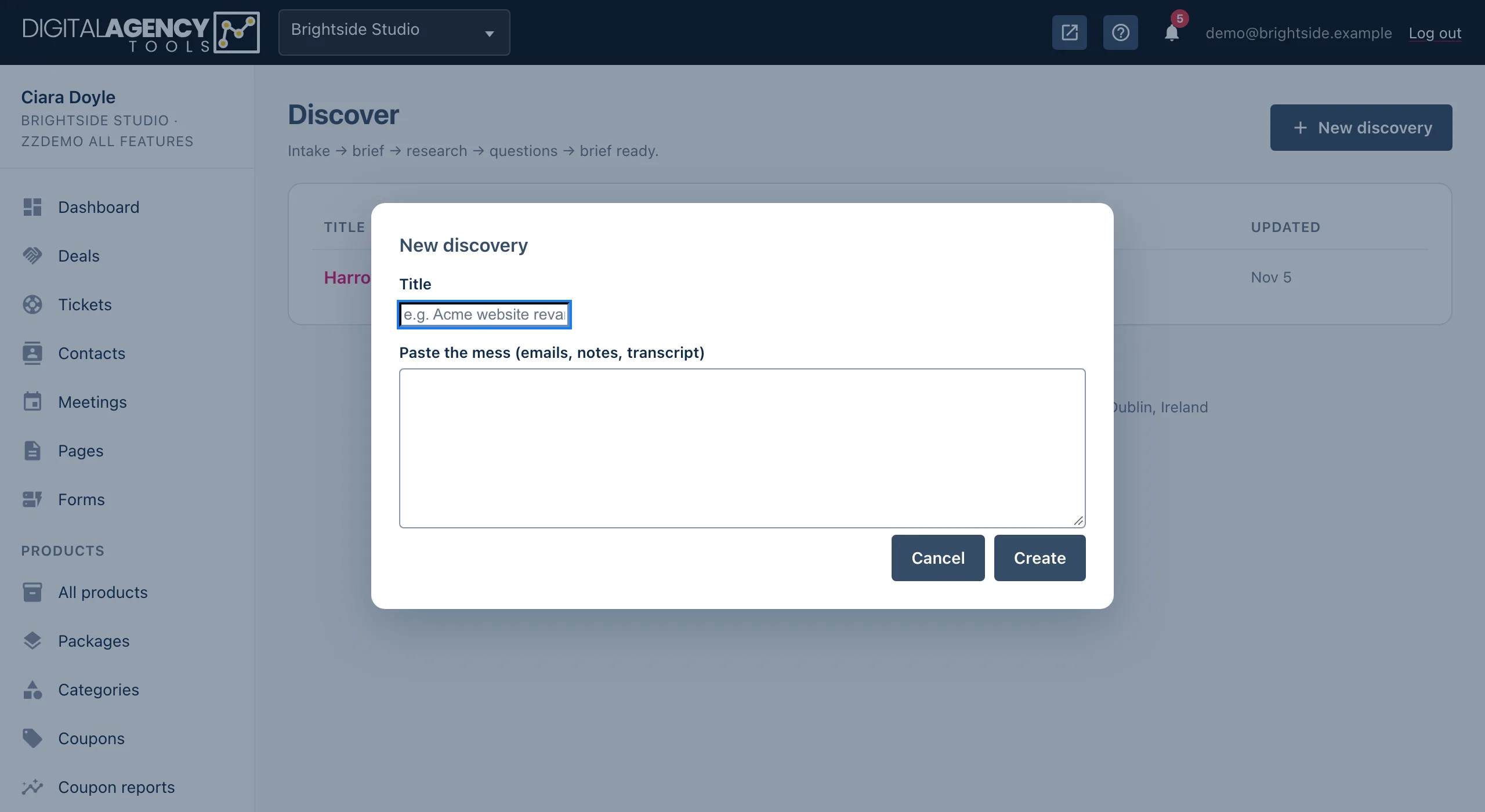
- Give it a Title, for example Acme website revamp.
- Paste everything you have into Paste the mess (emails, notes, transcript). Don't tidy it first.
- Click Create. The discovery opens at the Intake stage.
What to paste
Anything a client has told you. The first enquiry email, your notes from a call, a meeting transcript, a forwarded thread, a list of requirements they sent over.
The raw input is kept as you pasted it. It stays on the left of the discovery page for reference, and AI works from it.
Good raw input
"Hi, we're a 12-person dental practice
in Galway. Our site is 8 years old,
doesn't work on phones, and we want
online booking. Budget around €6k.
Ideally live before September."
The stages
A discovery moves through stages as you work on it. The badge on the list and at the top of the page shows where each one is.
| Status | How it gets there |
|---|---|
| Intake | You created it. Only the raw input exists. |
| Researched | A brief has been extracted with AI. |
| Questions ready | Meeting questions have been generated. |
| Brief ready | You clicked Mark brief ready. You can now create a proposal. |
You don't have to go through every stage. You can write the brief yourself and click Mark brief ready whenever you are happy with it.
Without AI
Discovery works without AI. The Extract with AI, Draft research and Generate questions buttons are greyed out, and a note at the top says an AI provider needs configuring. You can still type the summary, research notes and your own questions by hand.
Still stuck?
Can't find what you're looking for? Send us a message and we'll reply by email.