
From discovery to proposal
When the brief is ready, create a proposal from it in one step. The summary and deliverables are copied in, so you start with more than a blank page.
How to
- Open the discovery from Projects → Discover.
- Click Mark brief ready at the top of the page. The status becomes Brief ready.
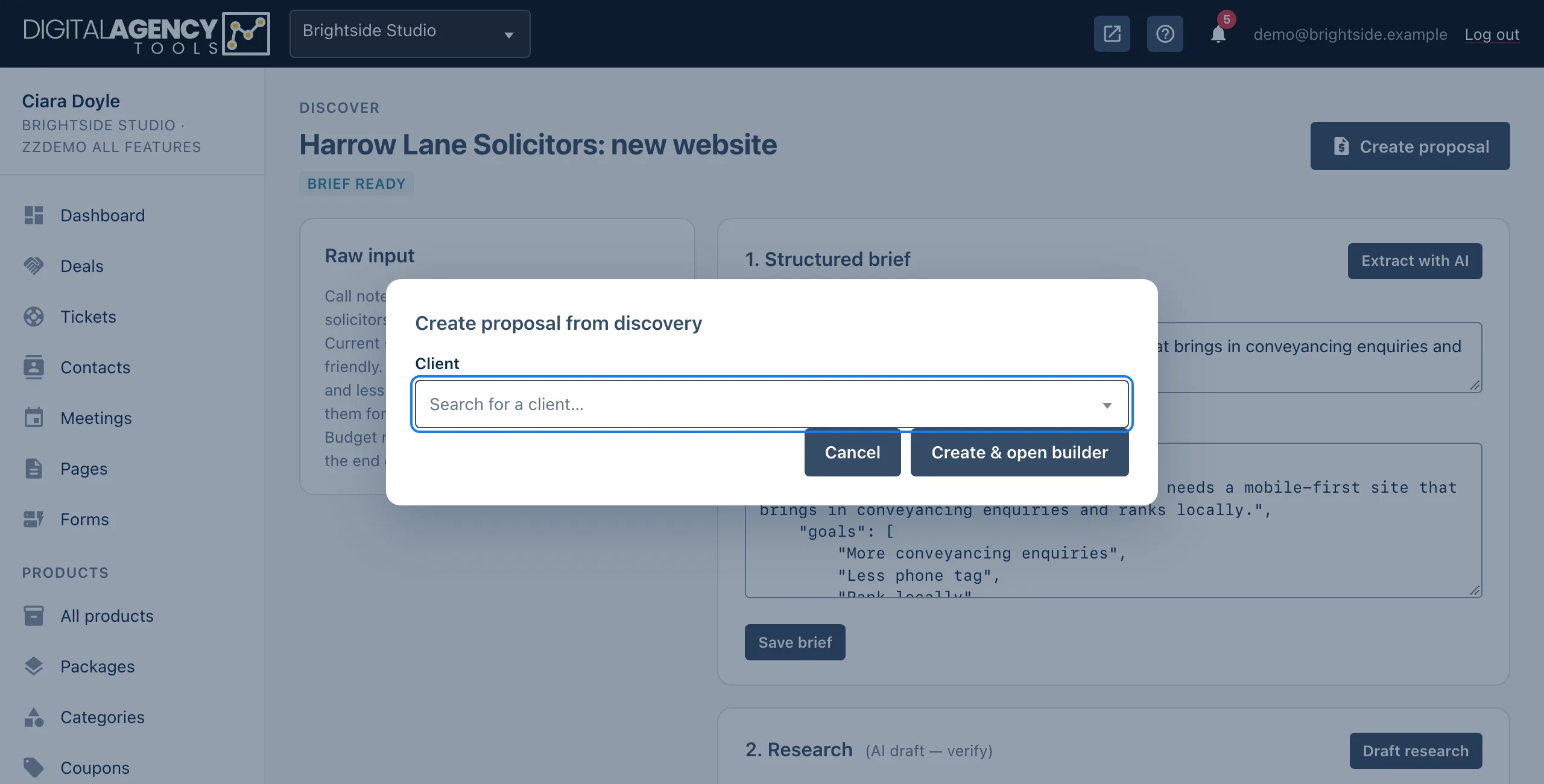
- Click Create proposal, which replaces that button.
- Search for the Client the proposal is for.
- Click Create & open builder. The new proposal opens in the builder.
What is copied over
- Title: the discovery's title.
- Currency: your business currency.
- Introduction: the brief's summary.
- Scope: one line per deliverable in the brief.
The timeline, pricing and terms start empty. The proposal stays linked to the discovery it came from.
Discovery → proposal
title         → title
brief_summary → introduction
deliverables  → scope lines
(nothing)     → timeline
(nothing)     → pricing
Before you click
The copy happens once, when the proposal is created. Later changes to the discovery don't reach the proposal. So save the brief first, and check that the summary reads well to a client. It becomes the first thing they see.
Out-of-scope items aren't copied, because the brief only has a deliverables list.
Add them to the scope yourself as lines starting - .
Finish the proposal
In the builder, add the timeline and pricing. Or paste your discovery notes into AI draft to fill them in. Then check everything and send it. See Pricing, timeline and terms and Send it and get it accepted.
Still stuck?
Can't find what you're looking for? Send us a message and we'll reply by email.