
When AI buttons are switched off
A greyed-out AI button means no AI provider is set up for your workspace. Everything else keeps working. You just do that step by hand.
What you see
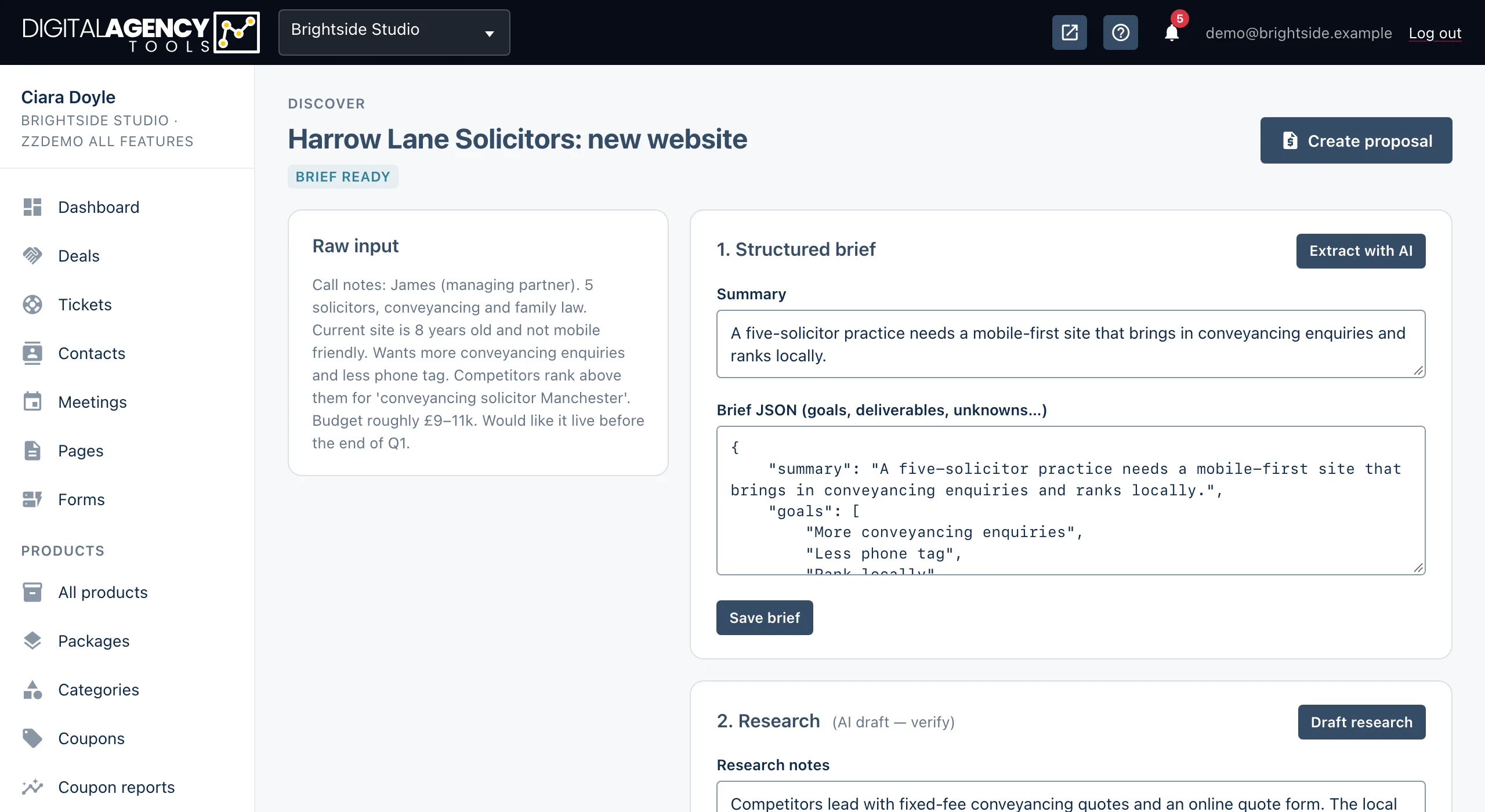
Every AI feature checks for a provider before it shows its button. Without one, the button is greyed out. Hover over it to see the reason, AI not configured. Some pages also show a blue note at the top.
In the proposal builder, the whole AI draft card is replaced by Configure an AI provider to enable AI drafting.
AI features
Proposals      Draft with AI
Discover       Extract with AI
               Draft research
               Generate questions
Client updates Draft with AI,
               Refine
AI Agent       New chat, Send,
               Propose tasks
Two different reasons
The page is missing from the sidebar. Proposals, Discover, AI Agent and client updates are plan features. If your plan doesn't include one, it is hidden, and opening it sends you to Settings → Upgrade account. See Plans and features.
The page opens but the AI button is greyed out. Your plan includes the feature, but no AI provider is available to the workspace.
Which is it?
Not in sidebar   → plan
Greyed button    → AI provider
Turning AI on
These features use the same AI providers as the booking chatbot: Anthropic Claude or OpenAI. The provider is normally set up for the whole platform by its administrator, and all businesses share it. Most businesses have nothing to do.
- Open Settings → AI chatbot, if your plan includes the chatbot. It shows which AI provider the platform uses. Businesses can't change it.
- If buttons are still greyed out, contact support. The platform needs an Anthropic or OpenAI key set up.
- Reload the page. The buttons are live as soon as a provider is available.
anthropic_api_key or
openai_api_key in .env. Google AI keys are used by the booking
chatbot only, not by these features.
When AI is on but fails
If a button works but you get an error such as AI draft failed or Could not derive tasks, the provider didn't answer in time or sent something unusable. Try again in a minute, and try shorter input. Nothing you have typed is lost. A failed AI call never changes your data.
Still stuck?
Can't find what you're looking for? Send us a message and we'll reply by email.