
Submissions
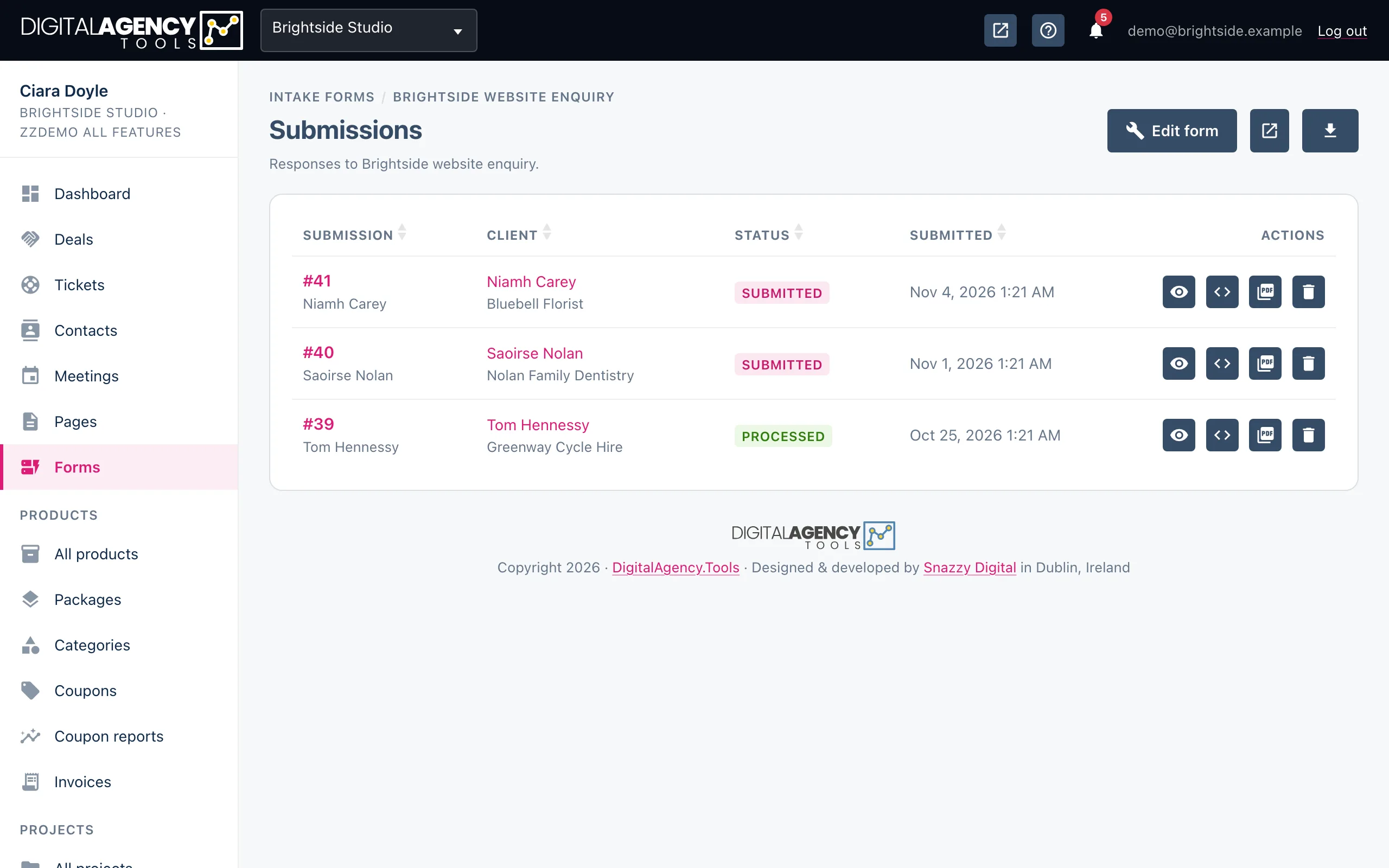
Every completed form is kept as a submission. Read the answers, see which client they belong to, and follow up.
How to
- Open Forms.
- Click the inbox icon on a form's row for that form's submissions, or the inbox icon at the top of the page for All submissions across every form.
- Click a submission's number, or the eye icon, to read it.
- Click the client's name to open their contact record.
The list
Each row shows the submission number with the person's name or email under it, the client it is linked to, its status and when it arrived. The all-submissions view adds a column for the form it came from. New submissions show as Submitted.
A submission with no linked client shows No client linked. That happens when the form has no pre-selected client and the answers include no email address.
Each row
#12  Jane Murphy
     client · status · submitted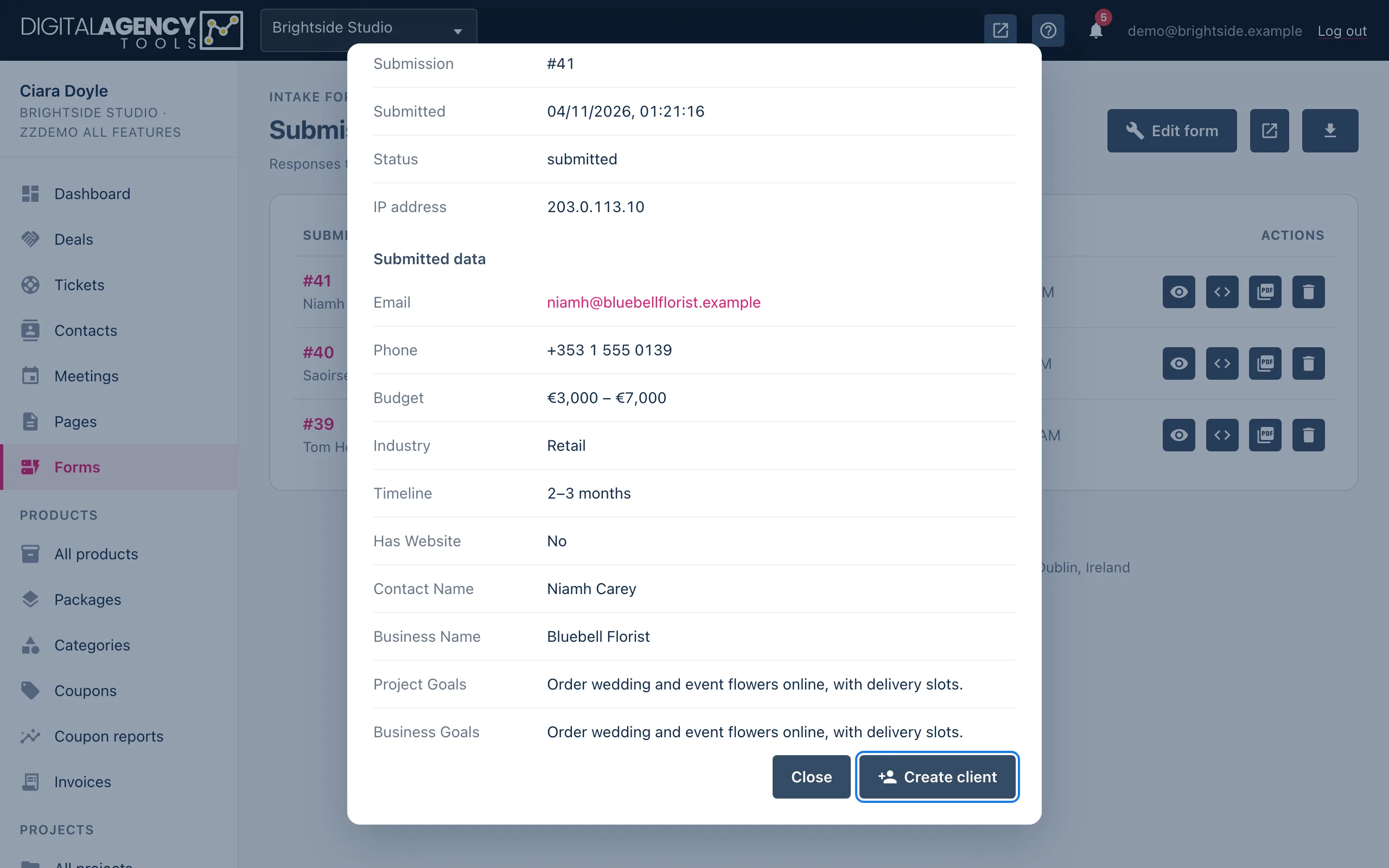
Reading a submission
Submission details shows the number, the time it was submitted, its status and the IP address it came from. Under Submitted data is every answer, labelled from the field name. Web addresses and email addresses are clickable; long answers keep their line breaks.
Field name → label
company_name   → Company Name
current_website → Current Website
Submissions become contacts
You do not need to copy anyone across by hand. When a submission arrives:
- If the form has a pre-selected client, the submission is filed against them.
- Otherwise, if the answers include an
emailthat matches a contact, it is linked to that contact. - Otherwise, if there is an email, a new contact is created as a lead, using the name, company, phone, website and address answers where the field names match.
New leads appear in Contacts, ready for you to follow up.
Export, delete and Create client
The export menu (CSV, JSON), the per-row JSON, PDF and delete icons, and the Create client button in the details window are on the page but not working yet. Each one tells you so when you click it.
Still stuck?
Can't find what you're looking for? Send us a message and we'll reply by email.