
Terms and privacy
Two fixed pages every booking site needs: Terms & Conditions and a Privacy Policy. Write them once and they are linked wherever customers need them.
How to
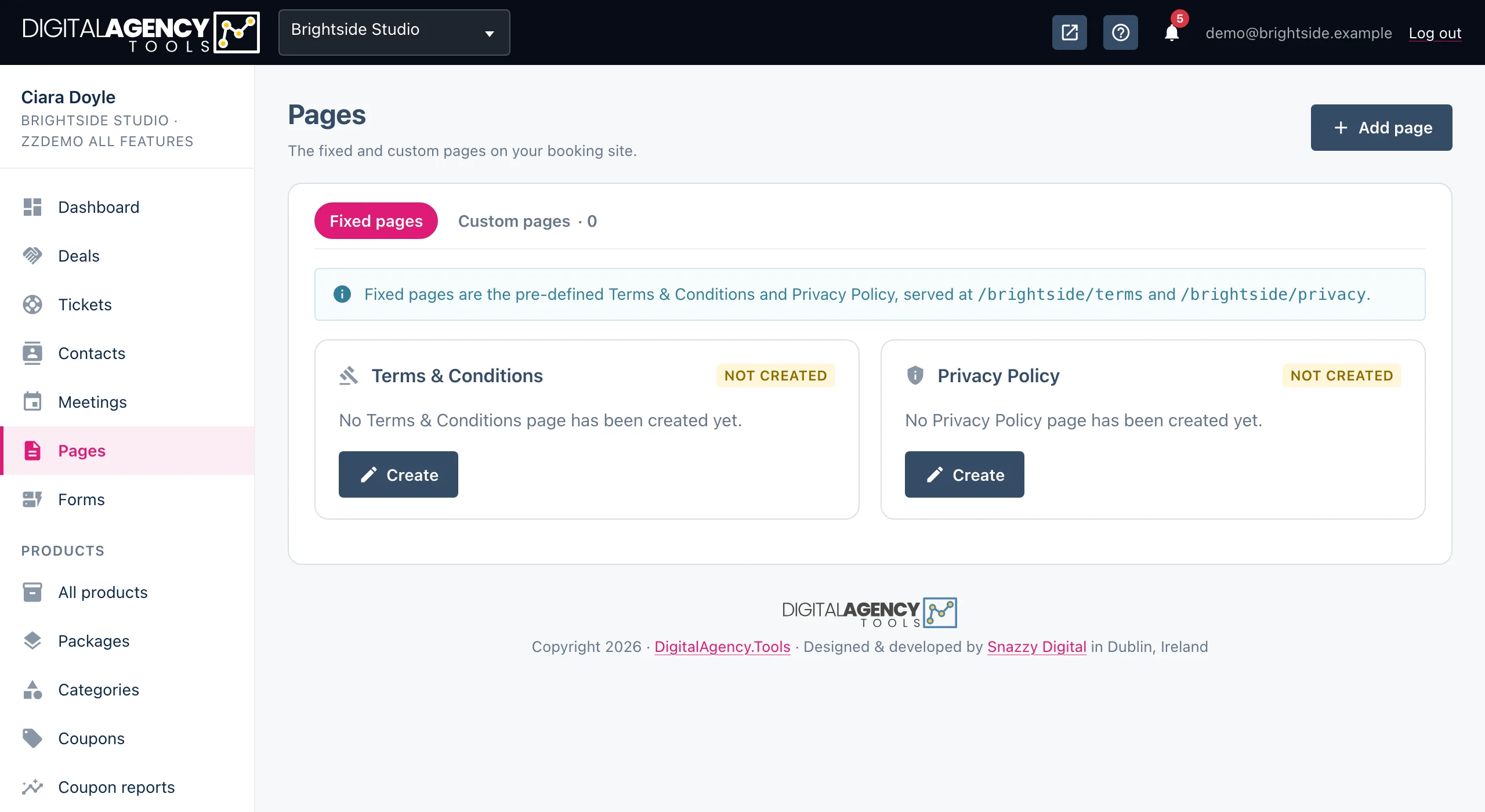
- Open Pages in the sidebar. You land on Fixed pages.
- On the Terms & Conditions card, click Create (or Edit if it exists).
- Check the Page title, write the Content, and leave Active on.
- Click Save page.
- Do the same for the Privacy Policy card.
Where they live
Both pages sit on your booking site, under your booking page address. The editor shows the full address under Page information, and each card has a view icon once the page is active.
A card shows Not created until you save the page for the first time, then Active or Inactive, with when it was created and last updated.
Addresses
/your-slug/terms
/your-slug/privacy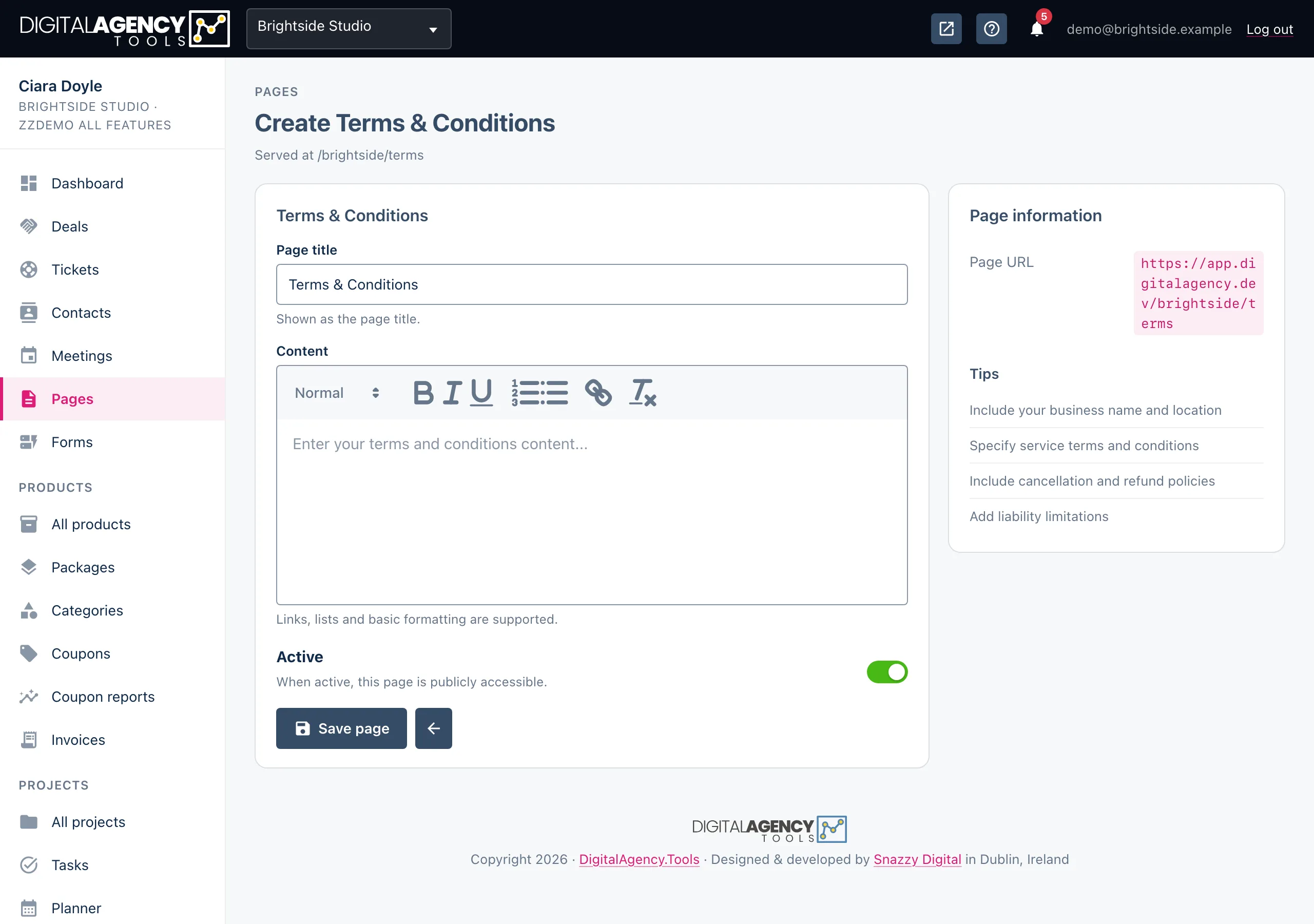
Where customers see them
Once a page is active and has content, its link appears in the footer of your public pages. On the booking form, customers tick I agree to the Terms & Conditions and Privacy Policy before they can book; the checkbox names whichever of the two you have.
Your cookie banner links to the privacy policy when you have one.
Linked from
footer of your public pages
booking form: "I agree to the…"
cookie banner (privacy)
Writing them
The content editor supports headings, bold and italic, lists and links. Both the title and the content are required.
Cover the basics customers ask about: how to book and pay, your cancellation and refund rules, what happens if they do not turn up, and how you handle their personal data. For the privacy policy, say what you collect at booking, why, how long you keep it and how someone can ask for it to be deleted.
Still stuck?
Can't find what you're looking for? Send us a message and we'll reply by email.