
Upgrade
Pick a plan, fill in your billing details, and pay through Stripe. Your new features switch on as soon as Stripe confirms.
How to
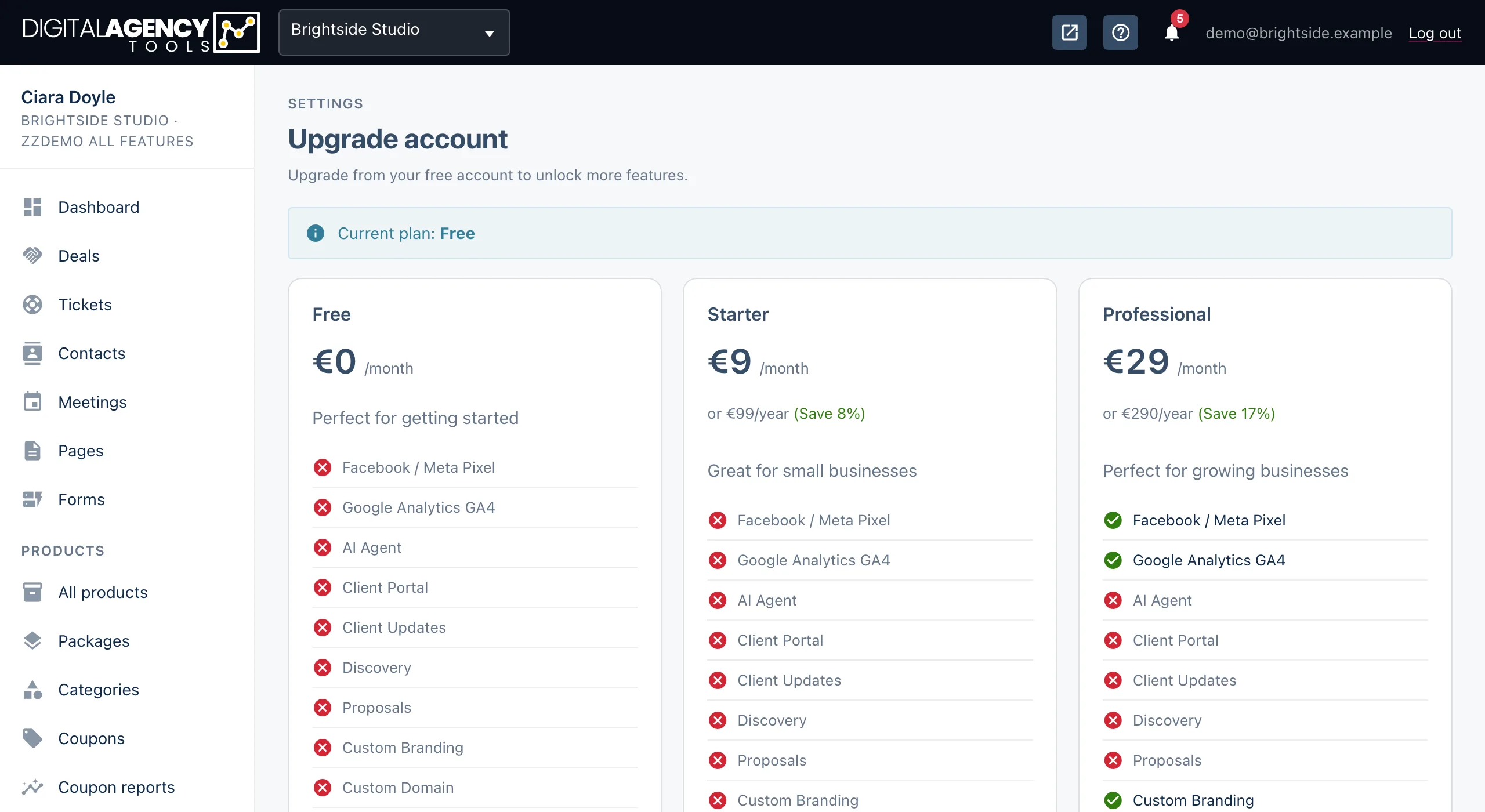
- In the sidebar, under Settings, open Upgrade account. You can also click any sidebar row marked Upgrade.
- Compare the plan cards and click Choose <plan> on the one you want.
- On Complete your order, enter your Full name, Email address and Country/Region. The street address, postal code and city are optional.
- If you are a VAT-registered business, enter your VAT/Tax number. It is checked before you can continue.
- Tick that you agree to the Terms of Service and Privacy Policy, then click Continue to payment.
- Pay on Stripe's secure page. You are brought back to the panel when it is done.
Price and VAT
Prices are shown in your business's currency. The Order summary on the checkout page works out VAT for the country you choose and updates the total as you go. A valid EU VAT number may mean no VAT is charged.
Checkout sets up a monthly subscription. A plan card may also show a yearly price and the saving.
Checkout
Order summary      plan, VAT, total
Billing information name, email
Billing address    country required
Business info      VAT number, optional
Your first plan starts with a trial
Your first subscription begins with a 7-day free trial. Your card is taken at checkout and first charged when the trial ends. See Plans and features.
If it does not go through
Leaving Stripe's page without paying brings you back with Upgrade cancelled. You can try again anytime. Nothing is charged.
Your account is already on a paid plan means the business already has a billing account with Stripe. Use Billing in the sidebar to change plan instead — see Manage your subscription.
Still stuck?
Can't find what you're looking for? Send us a message and we'll reply by email.