
Plans and features
Every business starts on the Free plan. Paid plans switch on extra features and raise limits, and your first paid plan starts with a 7-day trial.
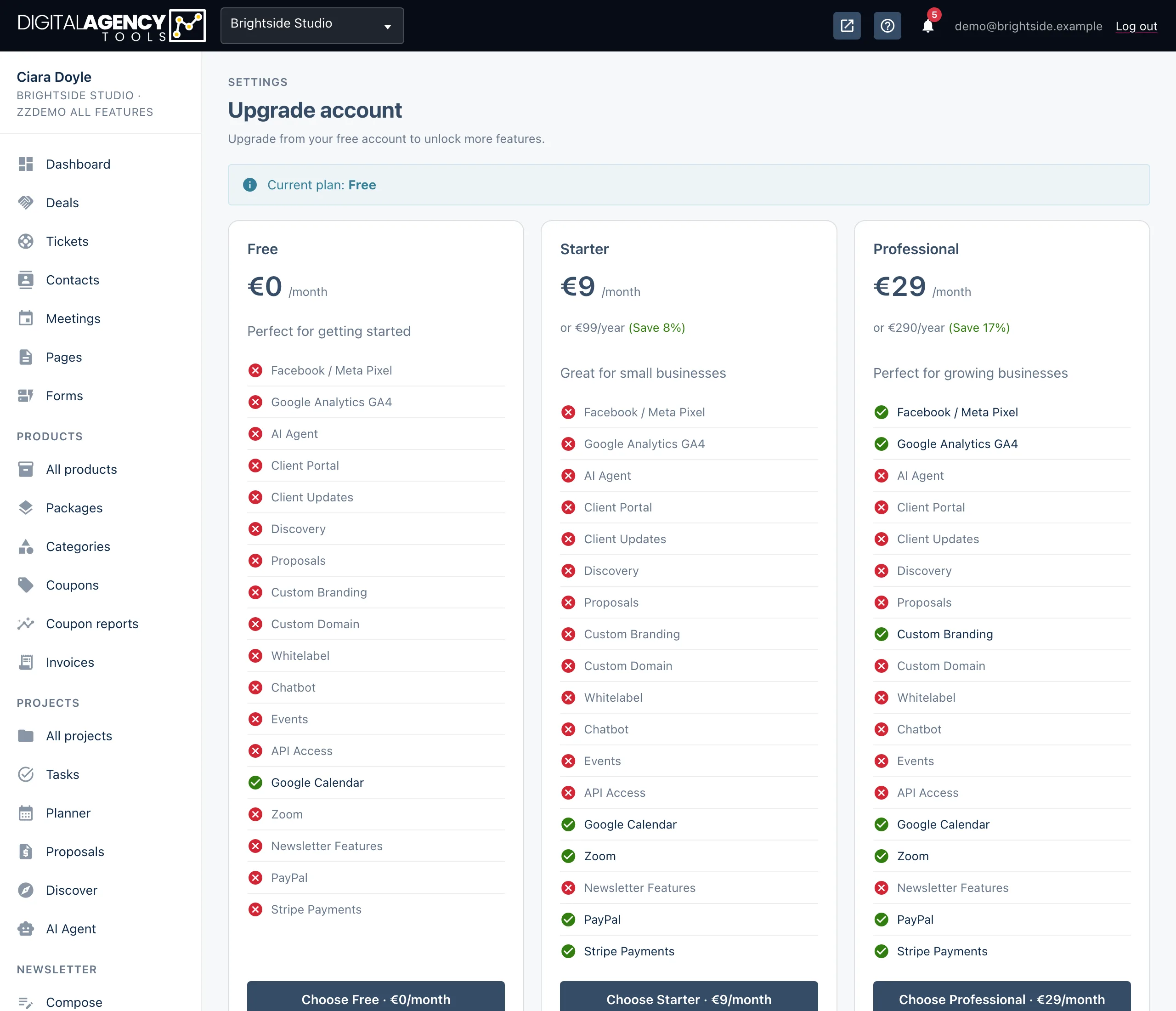
How to see what your plan includes
- On a free account, open Upgrade account under Settings in the sidebar. The flash at the top names your Current plan.
- Each plan card lists every feature, with a green tick for what is included and a cross for what is not.
- On a paid plan, open
/settings/subscription. Current plan lists your Included features and Limits.
Features that depend on your plan
Plans are set up by the platform, so names and prices vary. What changes between them is which of these features are switched on.
Several sidebar rows depend on a feature. Coupons, Coupon reports, Invoices and VAT need Stripe payments; the Newsletter section needs Newsletter & marketing; AI chatbot needs the AI chatbot feature. Without them the row stays visible with an Upgrade chip, and clicking it opens the upgrade page.
Email domain needs Custom email domain. Without it, that row is simply not shown.
Plan features
Stripe payments
Zoom meetings
Google Calendar
Newsletter & marketing
Custom branding
Custom email domain
Google Analytics GA4
Meta Pixel
AI chatbot
API access
Limits
A plan can also cap how much you use. The subscription page shows each limit, and a Usage this month card shows how much of it is left. Unlimited means no cap.
Limits
Bookable services
Email invites a month
API calls a month
Storage (GB)
Agency modules
Proposals, Discover, AI Agent and Client updates are on by default for every business. A plan can switch one off; if it does, the module disappears from the sidebar and its pages send you to the upgrade page.
AI buttons also need AI to be available on the platform — see When AI buttons are switched off.
How trials work
The first time you subscribe, Stripe starts you on a 7-day free trial. You enter your card at checkout, and the first payment is taken when the trial ends. While the trial runs, paid features are unlocked and the subscription page shows Trial ends with the date.
If you cancel before the trial ends you are not charged, and the business goes back to the Free plan. The trial is for a business's first subscription only.
Related
Still stuck?
Can't find what you're looking for? Send us a message and we'll reply by email.