
Draft a proposal with AI
Paste your notes, an email thread or a brief, and AI writes a first draft of the introduction, scope, timeline and pricing for you to edit.
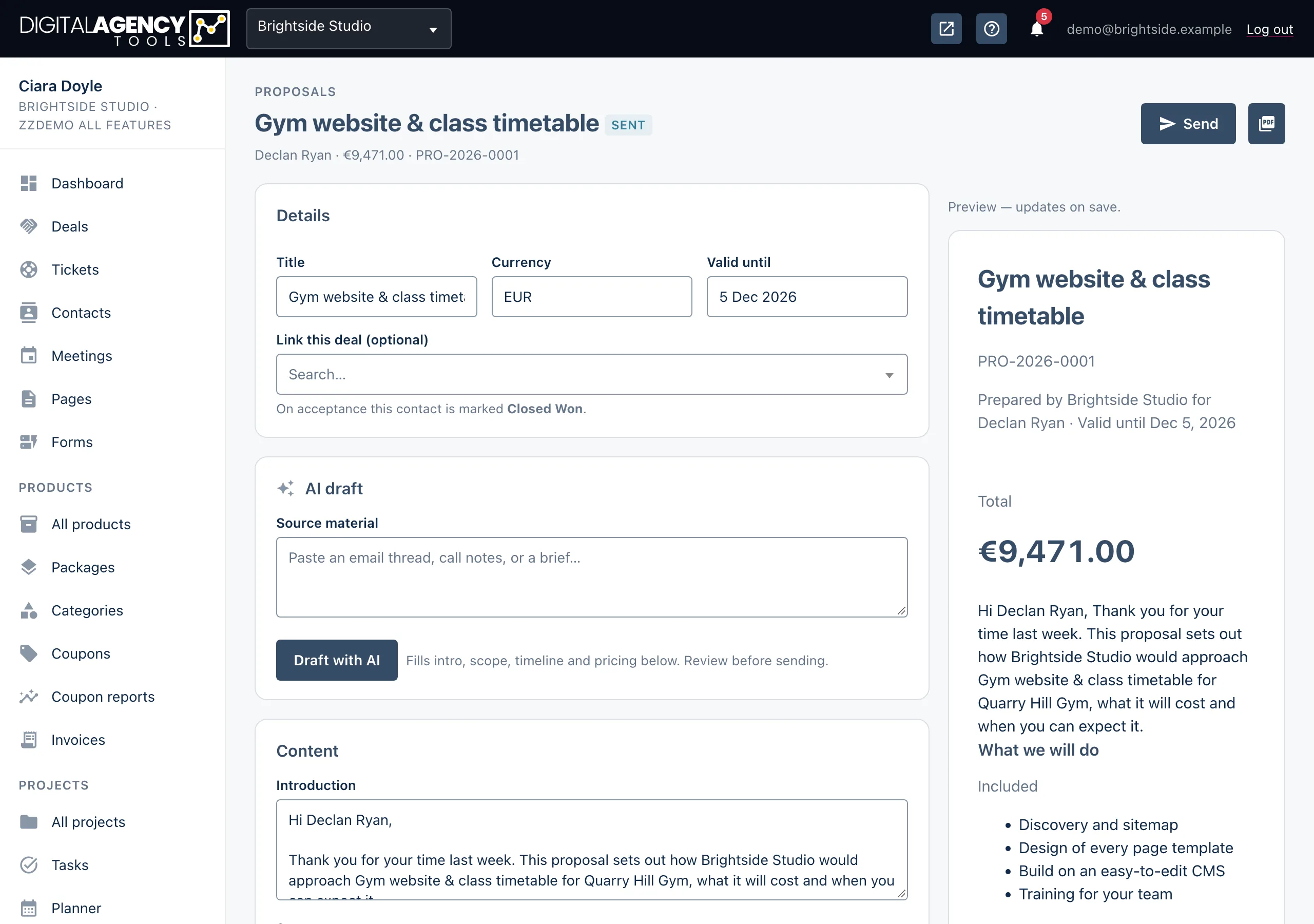
How to
- Open the proposal from Projects → Proposals.
- In the AI draft card, paste your notes into Source material.
- Click Draft with AI. The button reads Drafting… while it works.
- When you see Draft applied — review and save, read every section and correct it.
- Click Save proposal. The draft is not kept until you do.
What it fills in
The draft goes straight into the builder's fields, so you edit it the same way as anything you typed yourself.
- Introduction: a short opening.
- Scope: one line per item. Lines starting
-are out of scope. - Timeline: milestones with a day number.
- Pricing: line items with a description and unit price.
Discount, tax, terms and Valid until are left as they are.
Filled by AI
Introduction   yes
Scope          yes
Timeline       yes (replaces)
Pricing        yes (replaces)
Discount, tax  no
Terms          no
It replaces what is there
A draft overwrites the introduction and scope, and clears the existing timeline and pricing rows before adding its own. Run it on an empty proposal, or be ready to put your own lines back.
Getting a better draft
The more specific the source, the better the draft. Include the client's goals, the deliverables you discussed, any deadline and any budget they mentioned.
If you ran a discovery first, you can create the proposal from it. The brief's summary and deliverables are copied in for you, then you can still use Draft with AI on top.
No AI draft card?
If AI is not set up for your workspace, the builder shows Configure an AI provider to enable AI drafting instead of the card. Every other part of the builder still works. See When AI buttons are switched off.
Still stuck?
Can't find what you're looking for? Send us a message and we'll reply by email.