
Google Sheets
Keep a spreadsheet of your bookings in your own Google Drive, with a new row added every time someone books.
How to
- Connect Google Calendar first. Sheets uses the same Google connection.
- Open Settings → Integrations and find Google Sheets in the Booking integrations card.
- Click Create new sheet to make a fresh spreadsheet, or click the Connect an existing sheet icon to choose one you already have.
- The row shows Connected. Click Sync bookings now to fill the sheet with your existing bookings.
What goes in the sheet
Each booking is one row. The columns cover the booking itself, the customer, the money and attendance, so you can filter and pivot in Google Sheets as you like.
With Auto-sync new bookings switched on, every new booking is added as it happens. Switch it off and the sheet only changes when you sync by hand.
Some of the columns
Meeting ID, Title, Status
Meeting Date, Meeting Time, Duration (min)
Customer Name, Customer Email, Customer Phone
Total Amount, Currency, Payment Status
Coupon Code, Attended, Checked In At
Created Date, Updated Date
Sheets settings
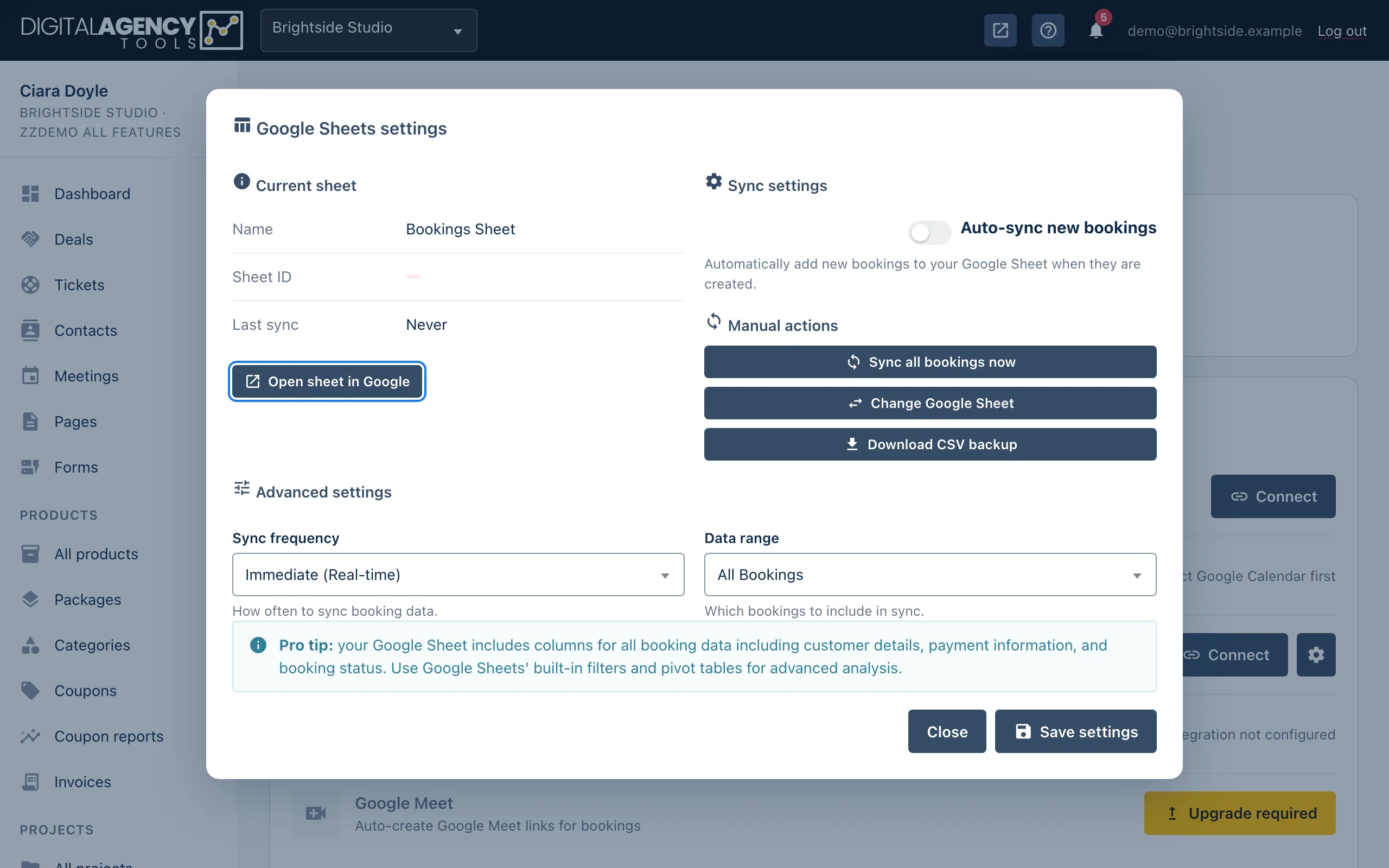
Click the Sheets settings icon on the row. The dialog shows the current sheet and lets you:
- switch Auto-sync new bookings on or off;
- Sync all bookings now;
- Change Google Sheet to point at a different spreadsheet;
- Download CSV backup of your booking data;
- choose a Data range: all bookings, the last 30 or 90 days, this year or last year.
Click Save settings to keep your changes. The Open sheet in Google icon opens the spreadsheet in a new tab.
"Scope upgrade needed"
If you connected Google before Sheets was available, Google has not yet given the platform permission to write spreadsheets. The row says Scope upgrade needed. Click Reconnect Google and allow the extra access.
Google Sheets comes with the google_calendar plan feature. Without it,
the row shows Upgrade required. Disconnect stops
syncing; the spreadsheet itself stays in your Google Drive.
Related
Still stuck?
Can't find what you're looking for? Send us a message and we'll reply by email.