
Zoom and Google Meet
Connect Zoom or Google Meet once, and bookings for the products that use it get their own video link automatically.
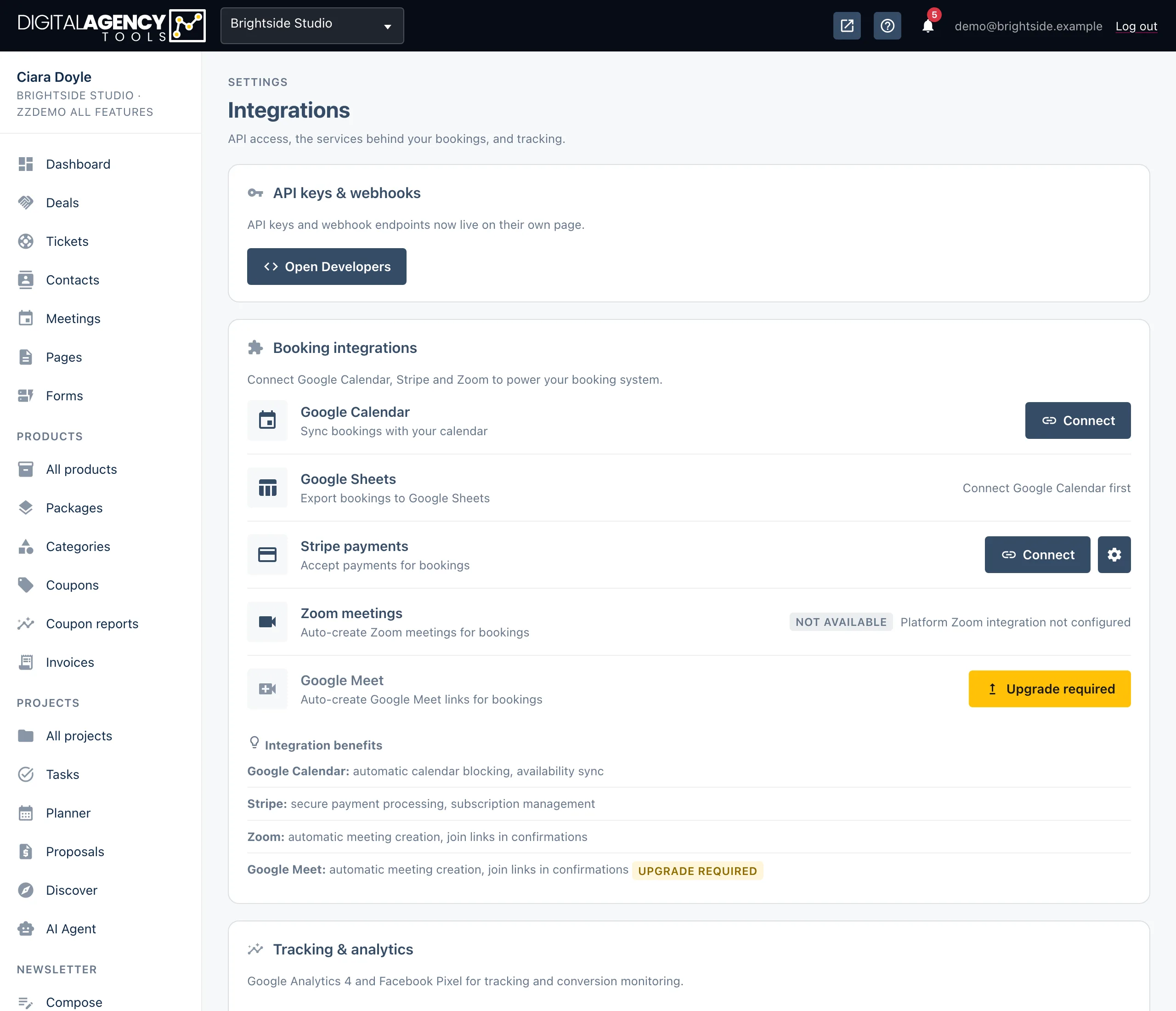
How to
- Open Settings → Integrations.
- For Zoom, find Zoom meetings and click Connect. The button reads Connecting…, then the row shows Connected.
- For Google Meet, connect Google Calendar first. Then find Google Meet and click Connect.
- Click the Test connection icon on the row to check it works.
Zoom
Zoom runs through the platform's own Zoom app, so there is no Zoom key for you to paste. Connecting authorises your business to create meetings through it.
If the row says Not available and Platform Zoom integration not configured, Zoom has not been set up on this platform yet. There is nothing to fix on your side; contact support.
When a booking is made for a product that creates Zoom meetings, a meeting is made and its join link is stored on the booking.
What the row can say
Connect              ready to authorise
Connected            meetings will be created
Not available        not set up on the platform
Upgrade required     not in your plan
Google Meet
Google Meet uses your Google Calendar connection. Until the calendar is connected, the row shows Requires Google Calendar.
When a booking is made for a product that creates Meet links, a calendar event with a Meet link is created and the link is saved on the booking.
If you disconnect Google Calendar, Meet links stop being created too.
What the row can say
Requires Google Calendar
Connect
Connected
Upgrade required
Which bookings get a link
A video link is created per product, not for every booking. The connected message on Settings → Integrations asks you to turn on Create Zoom or Create Google Meet on each product that should get one. Products with Zoom turned on show a small Zoom label in the products list.
Zoom is part of the zoom plan feature and Google Meet is part of
google_meet. Without them, the rows show Upgrade required.
To stop either one, click Disconnect on its row and confirm. Links already on past bookings are not removed.
Still stuck?
Can't find what you're looking for? Send us a message and we'll reply by email.