
Pay links
Every open invoice has a private link where your client can see the invoice and pay it, by card through your Stripe account or by bank transfer. No login is needed: the link itself is the key.
How to share it
- Issue the invoice. The email to your client already carries the link, behind a View and pay invoice button. The PDF shows it too, with a QR code.
- To send it another way, open the invoice and click the Copy pay link icon, then paste it into a message.
- If there is no copy icon, click Make a pay link instead. A new link is made and the copy icon appears.
What your client sees
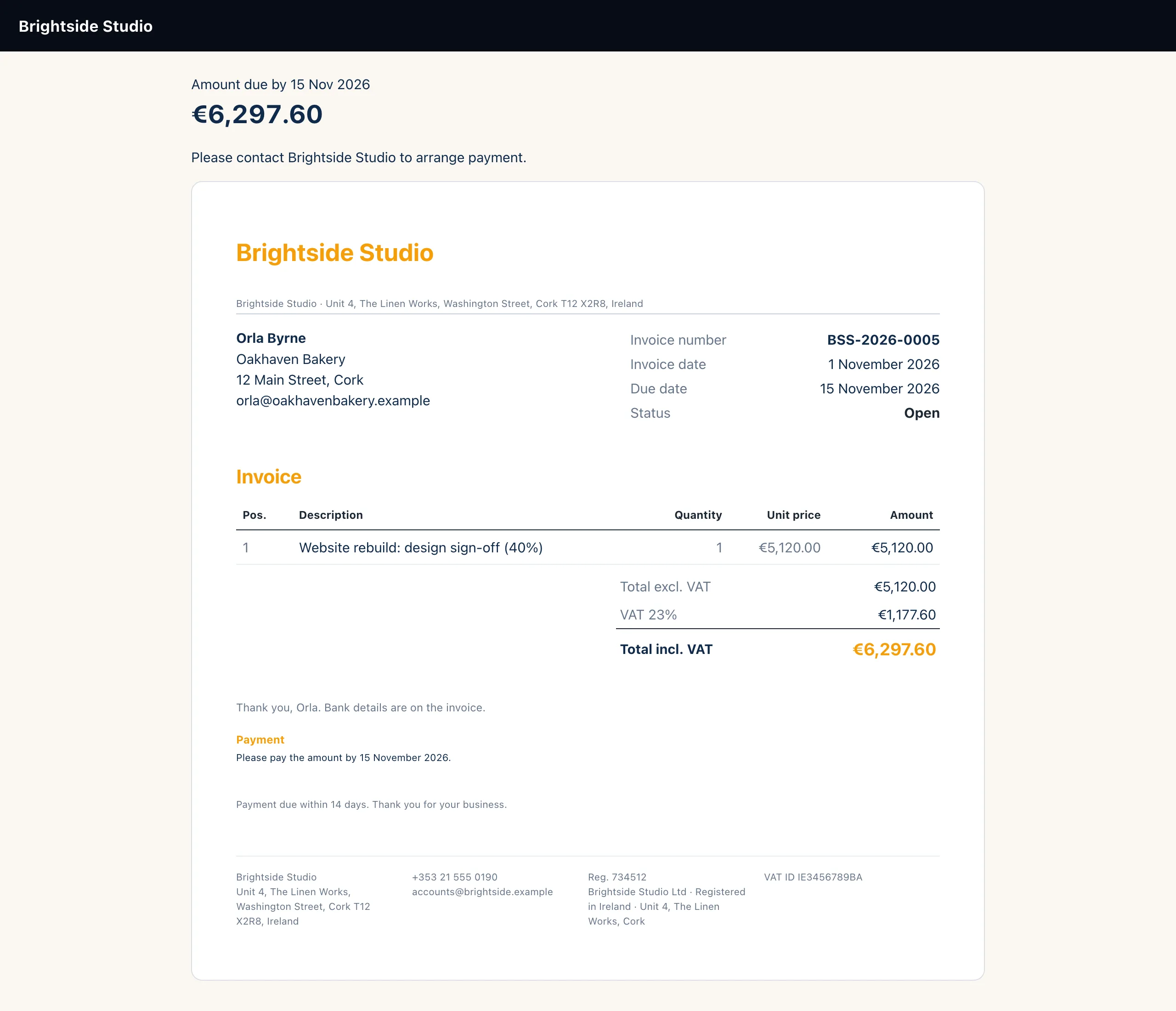
The page shows the amount due and the due date, then how they can pay, then the invoice itself:
- Pay by card appears when your Stripe keys are saved under Settings → Payments. It opens Stripe's checkout for the balance owing. When they come back, the payment is recorded and the invoice is marked paid.
- Pay by bank transfer appears when you have entered bank details in Invoice settings. The client is asked to use the invoice number as the reference, and can tell you they have paid with I have paid by transfer (see Bank transfer claims).
If neither is set up, the page asks the client to contact you to arrange payment.
The link
/pay/<48 random characters>

works while   the invoice is open
stops when    paid, voided, written
              off, or a new link
              is made
New links replace old ones
Only one link works at a time. These all make a new link and switch the previous one off:
- Email it again
- Send a reminder
- Make a pay link
- Reopen on a paid or written-off invoice
So if a client says an old link no longer works, send the invoice again. Copying the link with the copy icon does not replace it.
When a link stops working
Once an invoice is paid, its link closes. A client who opens it then sees Nothing to pay here, with a note that a receipt is on its way if they have just paid. The same message shows for a voided invoice or a replaced link, so nothing about the invoice is given away.
/pay/invoice/… have been retired
for security. Clients who open one are asked to have the invoice sent
again. Use Email it again to give them a working link.
Still stuck?
Can't find what you're looking for? Send us a message and we'll reply by email.