
Running more than one business
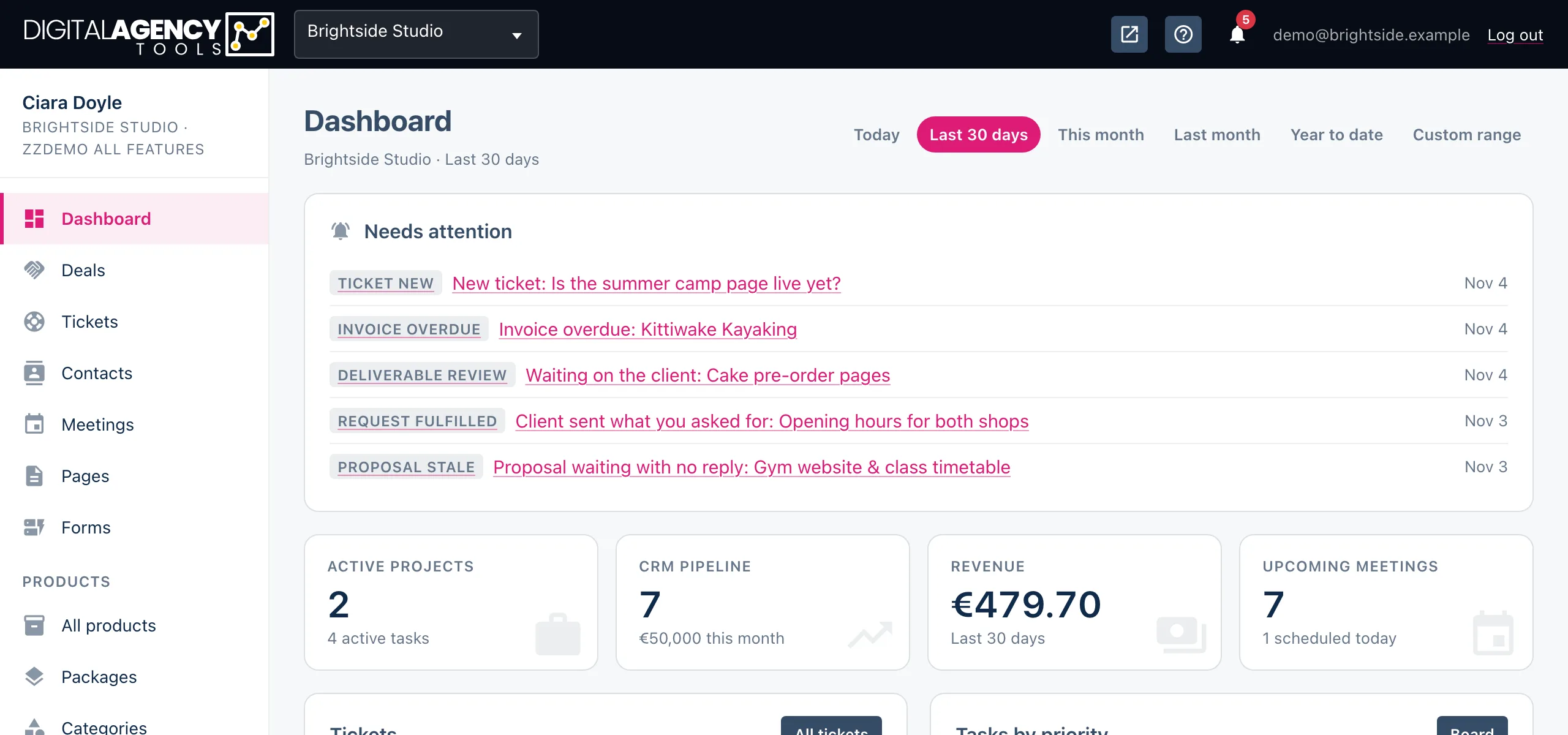
One login can belong to several businesses. Each has its own contacts, projects, products, invoices and settings, and you work in one at a time. The switcher in the top bar moves you between them.
How to switch
- Click the business name in the top bar (on a phone, open the menu and use the drop-down at the top of the sidebar).
- Pick the business you want.
- The page reloads in that business. The sidebar shows its name and plan under your own name.
What changes when you switch
Everything you see belongs to the business you are in: the dashboard figures, every list, the notification bell, and every setting from the logo to the Stripe keys. Nothing is shared between businesses, and nothing you create in one shows up in another.
The business you picked is remembered for your login, so you come back to it next time you sign in, on any device.
Each business has its own
contacts and deals
projects, tasks, proposals
products and booking page
invoices and Stripe keys
plan and billing
staff and notifications
Getting a second business
The usual way is to be added to it. If someone else runs the other business, they add you under Settings → Staff and it appears in your switcher — see Invite your team.
If you want a separate business of your own, for a second brand or a
sister company, you can buy one yourself: open
Create business (/settings/create_business;
it also shows in the Settings menu when your login has no business),
pick a plan and pay through Stripe's checkout. When Stripe sends you
back, the page reads Business created: the new
business is on your login, you are its owner, and you are already
working in it. Rename it and add your website under
Business settings.
Each business has its own plan, so a paid feature you have in one is not automatically available in the other. Paying once makes one business: reloading the page or Stripe confirming the payment again never adds a second.
Still stuck?
Can't find what you're looking for? Send us a message and we'll reply by email.