
What Digital Agency Tools is
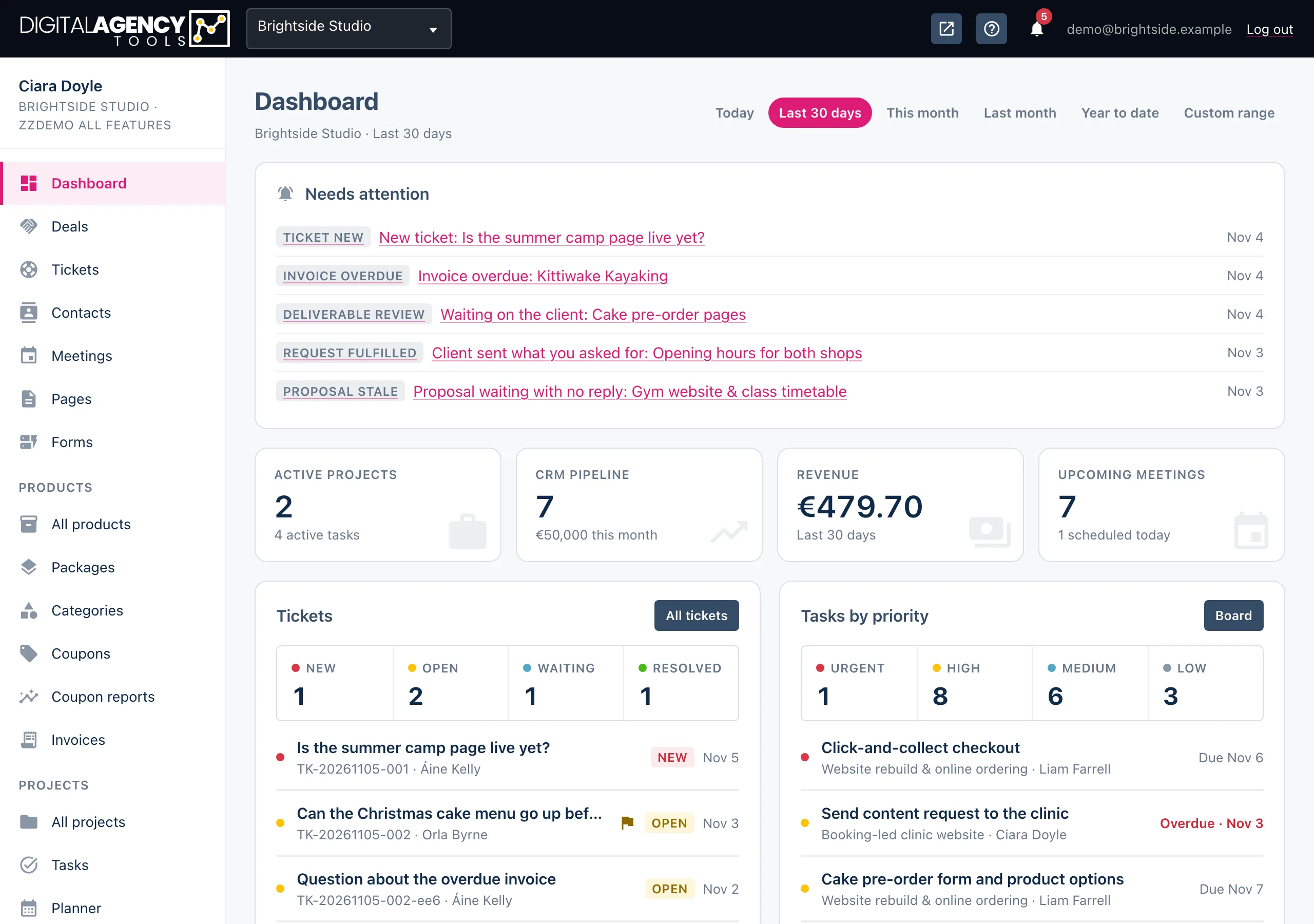
One place to win clients, run their projects, take bookings and get paid. Each part hands over to the next, so a prospect can become a paying client without you copying anything between tools.
Win the work
Contacts holds every client and prospect. A prospect with a pipeline stage, a deal value and an expected close date is a deal: Deals shows them as a list, a drag-and-drop board and a monthly forecast.
When a lead comes in, Discover turns your notes, an email thread or a call transcript into a brief. From a ready brief you create a proposal: an introduction, scope, timeline, priced lines and terms, sent to the client as a private link they can accept or decline.
The lifecycle
Contact
  → Discovery (optional)
  → Proposal → accepted
  → Project + client portal
  → Tasks, client updates
  → Invoice → paid
Deliver it
An accepted proposal becomes a project on its own: milestones and scope carry over, a kick-off task is created for each milestone, and the project gets a client portal where the client follows progress, approves deliverables and answers your requests.
Tasks and the Planner track the work day to day. Client updates drafts a progress email from what changed on the project. Tickets collects client requests from the panel, email, WhatsApp and a public support form.
Take bookings and get paid
Products are the services, events and classes customers can book on your public booking page. Bookings land in Meetings beside the meetings you schedule yourself, with Google Calendar keeping availability honest.
Invoices bill clients with a secure pay link: they pay by card through your own Stripe account, or tell you they paid by transfer and you confirm it. Coupons discount bookings and invoices.
Around all this sit Forms for intake, Pages for your terms, privacy and custom pages, a Newsletter, and an internal AI Agent that knows your projects.
What your plan includes
Some areas depend on your plan. In the sidebar, a page your plan does not include still shows, with an Upgrade chip that takes you to the upgrade page.
| Area | Needs |
|---|---|
| Invoices, Coupons, Coupon reports, VAT, online payments | A plan with Stripe payments |
| Newsletter | A plan with the newsletter |
| AI chatbot on the booking page | A plan with the chatbot |
| Sending email from your own domain | A plan with custom domains |
| Proposals, Discover, AI Agent, Client updates | On by default; a plan can switch them off |
Still stuck?
Can't find what you're looking for? Send us a message and we'll reply by email.