
Quick add and templates
Most tasks need only a title and a project. Quick add captures one in a few seconds from the task pages and from any project. When you need more, the full form has every field and four starter templates.
How to
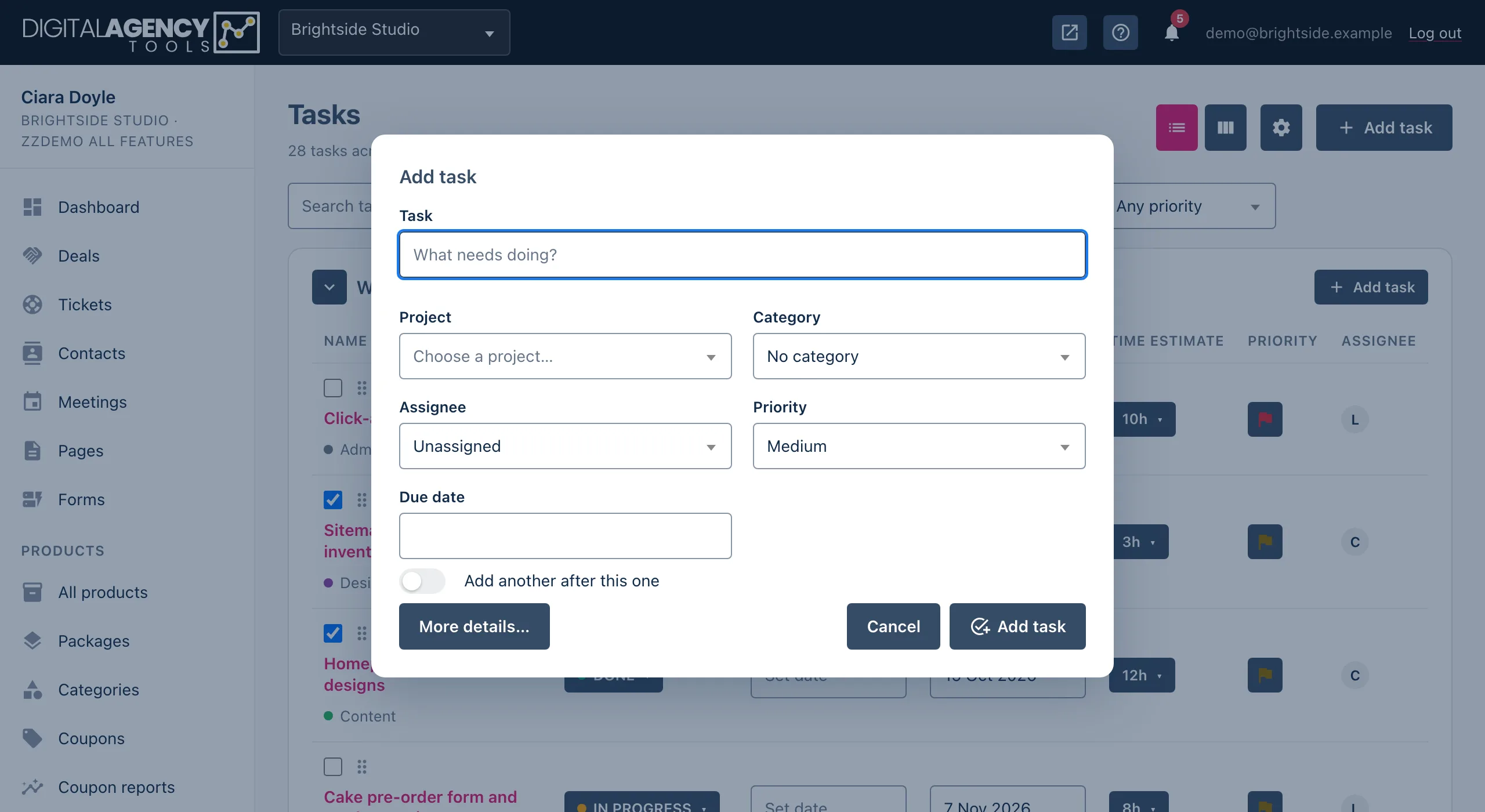
- Click Add task on the task list or board, or the Add task icon on a project.
- Type what needs doing in Task and choose the Project. Category, Assignee, Priority (Medium by default) and Due date are optional.
- Tick Add another after this one if you have a list to get down. The window stays open and clears the title after each task.
- Click Add task. The page refreshes with your new task in place.
Where you can quick add from
- Projects → Tasks — the Add task button at the top, and the one on each project's card.
- The board — the Add task button at the foot of each column.
- A project — the Add task icon in its header, the button on its Tasks tab, and the add-task icon on its row under Projects → All projects.
Quick add fills in what it can from where you opened it. From a project, the project is already chosen. From a board column, the task starts in that column's status, project or assignee. If you have a project or category filter on, that is chosen too.
A task added without a column goes into your default status, TASKS TO DO.
More details
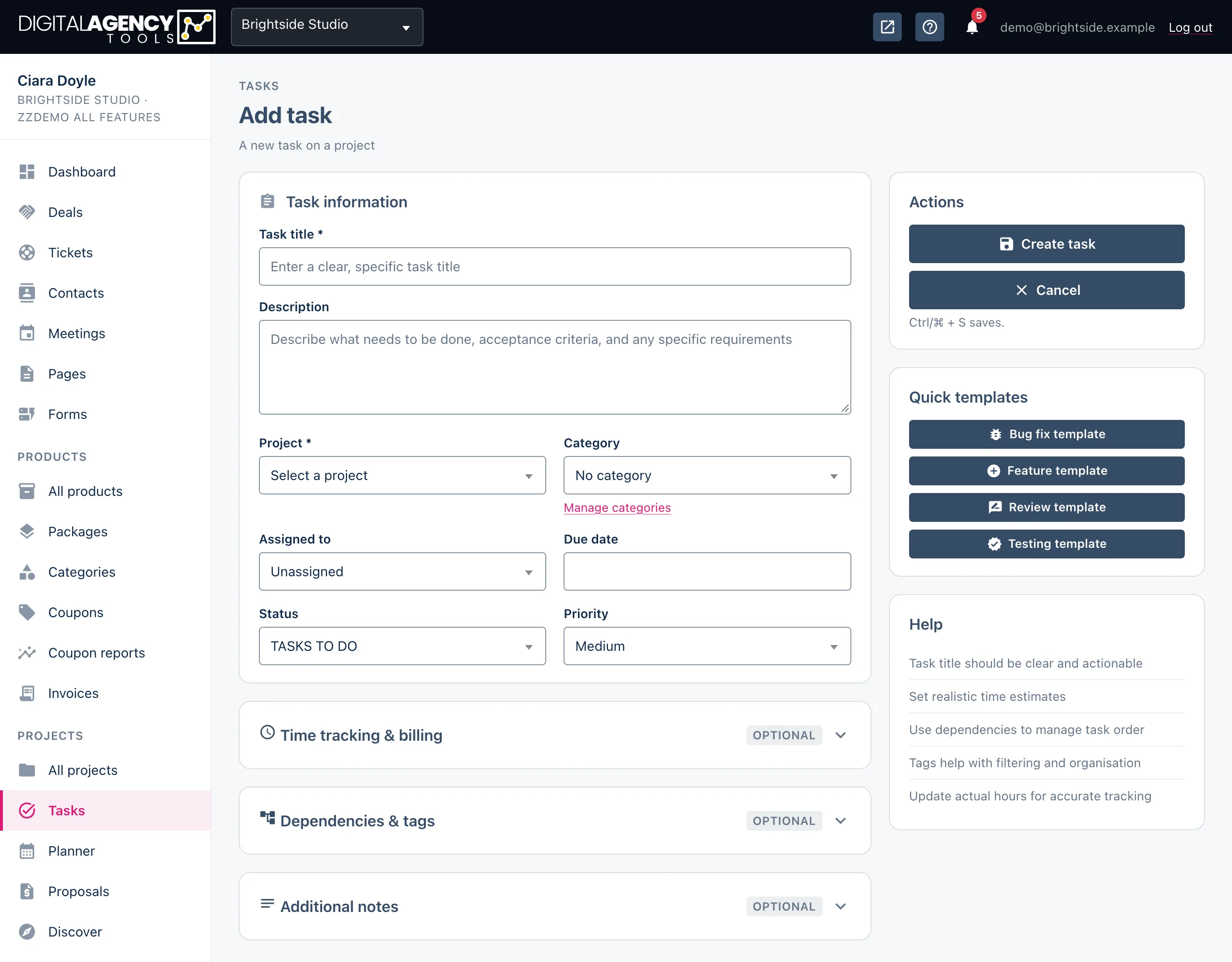
More details… at the bottom of the window takes you to the full form, keeping everything you have typed. The full form adds:
- Description and Status.
- Time tracking & billing — estimated, actual and billable hours, and an hourly rate. Total billed is worked out for you.
- Dependencies & tags — another task in the same project this one depends on, and comma-separated tags.
- Additional notes.
Click Create task (or press Ctrl/⌘ + S) to save. You can also open the full form directly from Projects → Planner → Add task.
Quick templates
The full form has four templates in the Quick templates card. Clicking one fills in a title prefix and a description outline for you to complete. A template only fills fields that are empty, so it never overwrites what you have written.
| Template | Title starts | Description outline |
|---|---|---|
| Bug fix template | Fix: | Steps to reproduce, expected and actual behaviour, solution. |
| Feature template | Feature: | Requirements, acceptance criteria, notes. |
| Review template | Review: | Items to review, criteria, deliverables. |
| Testing template | Test: | Test cases, expected results, test environment. |
Still stuck?
Can't find what you're looking for? Send us a message and we'll reply by email.